
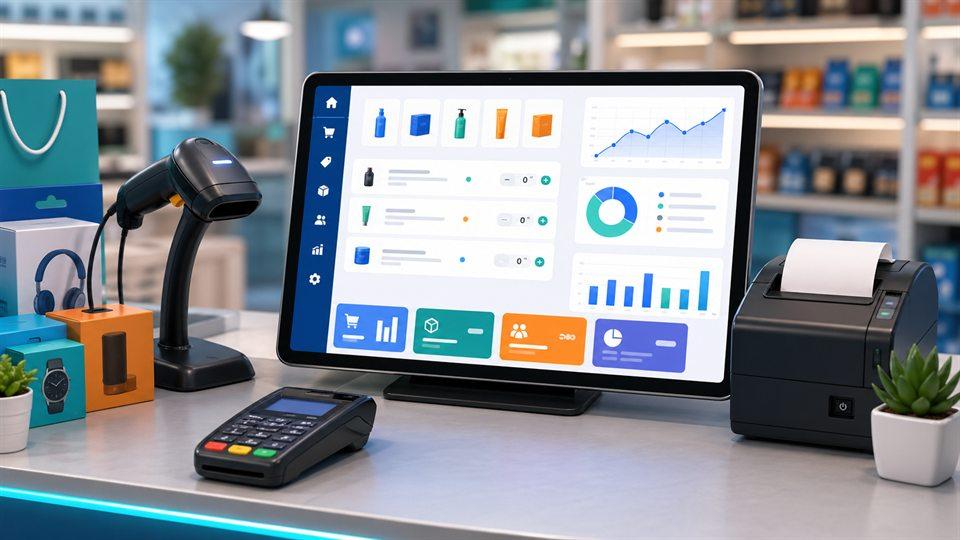
Businesses in Bangladesh are increasingly adopting digital solutions to manage sales, inventory, accounts and daily operations. Whether you operate a retail shop, pharmacy, restaurant, supermarket or wholesale business, managing transactions manually can consume valuable time and increase the risk of errors.
This is where POS software development in Bangladesh becomes important. A modern Point of Sale (POS) system helps businesses manage sales, track inventory, generate invoices, monitor financial transactions and understand business performance from one centralized platform.
In this guide, we will explore how custom POS software works, its essential features, benefits and how to choose the right POS software development company in Bangladesh.
What Is POS Software?
POS stands for Point of Sale. It is a software system that allows businesses to process customer transactions and manage important business activities.
A modern POS system does much more than generate sales receipts. Depending on the business requirements, it can include:
- Sales and invoice management
- Product and inventory management
- Purchase and supplier management
- Customer information management
- Barcode scanning
- Cash and bank transaction tracking
- Accounts and financial reporting
- Employee and user management
- Branch and warehouse management
- Business performance reports
For businesses that need more than standard billing software, custom POS software development provides the flexibility to build features around their actual operational requirements.
Why Do Businesses in Bangladesh Need POS Software?
Many small and medium-sized businesses in Bangladesh still depend on manual registers, spreadsheets or disconnected applications to manage their operations.
These methods can make it difficult to track stock, monitor daily sales and maintain accurate financial records.
A properly implemented POS system can help solve these challenges.
1. Faster Sales and Billing
POS software allows employees to generate invoices quickly, calculate totals and process transactions with fewer manual steps.
2. Better Inventory Management
Businesses can monitor available stock, record purchases, track product movements and identify products that need restocking.
3. Improved Financial Management
Integrated accounting features can help businesses record income, expenses, payments, receipts and other financial transactions.
4. Multiple Branch Management
Businesses operating multiple branches can use centralized software to monitor sales, inventory and business performance across different locations.
5. Accurate Business Reporting
POS reporting helps owners understand sales performance, expenses, stock levels and profitability.
Essential Features of Custom POS Software
The right POS system depends on the type and size of the business. However, a professional POS application should offer the following core features.
Sales and Billing Management
A sales module should support invoice generation, discounts, taxes, payment methods, returns and transaction history.
Product and Inventory Management
The inventory module should support product categories, units, purchase records, stock adjustments, barcode information and stock alerts.
Purchase and Supplier Management
Businesses should be able to manage suppliers, purchase orders, product receiving, supplier payments and purchase history.
Customer Management
A customer module helps businesses maintain customer profiles, contact details, purchase history and outstanding balances.
Accounting and Financial Reports
An integrated accounting module can include cash and bank accounts, income and expense records, payment and receipt vouchers, ledgers and financial statements.
Employee and User Permissions
Different employees should have appropriate access permissions. For example, a cashier should not automatically have access to sensitive accounting or administrative settings.
Multi-Branch Management
For growing businesses, branch-based access and reporting make it easier to manage multiple locations from a centralized system.
Types of POS Software for Different Industries
Different industries require different workflows. Custom POS development allows businesses to choose functionality that matches their operations.
Retail POS Software: Product sales, barcode scanning, stock management, customer records and daily sales reports.
Pharmacy POS Software: Medicine inventory, expiry-date tracking, batch management, purchase records, sales and pharmacy-specific reports.
Restaurant POS Software: Order management, table management, kitchen workflows, billing and sales reports.
Supermarket POS Software: Barcode-based billing, product categories, inventory tracking, discounts and multiple checkout counters.
Wholesale POS Software: Bulk sales, customer credit management, supplier records, purchase management and outstanding payment tracking.
Custom POS Software vs Ready-Made POS Software
Choosing between custom and ready-made software depends on your business requirements.
| Feature | Ready-made POS | Custom POS |
|---|---|---|
| Initial setup | Usually faster | Requires development |
| Custom features | Limited by provider | Built around requirements |
| Business workflows | Standard | Can be customized |
| Integrations | Depends on provider | Can be developed |
| Scalability | Depends on product | Designed for business needs |
| Cost | Subscription or license | Project-based or agreed model |
A ready-made system may be suitable for businesses with standard requirements. Custom POS software can be a better option when a business needs specialized workflows, integrations, reporting or multi-branch operations.
How to Choose a POS Software Development Company in Bangladesh
Before hiring a development company, evaluate its technical capabilities and understanding of your industry.
Consider these points:
- Business understanding: The developer should understand your sales, inventory and accounting workflows.
- Customization: Confirm that the software can support your specific requirements.
- Security: Ask about user permissions, backups, access control and data protection.
- Reporting: Ensure the system provides the reports needed to make business decisions.
- Scalability: Consider whether the software can support additional branches, users and products.
- Support and maintenance: Confirm how updates, bug fixes and technical support will be handled.
- Demonstration: Request a demonstration or working example before making a decision.
POS Software Development Services by Fariha Computer
Fariha Computer provides software development and IT solutions for businesses looking to improve their daily operations through technology.
Our software development approach focuses on understanding business requirements and building solutions that support practical workflows.
Depending on project requirements, a custom POS solution can include:
- Sales and billing management
- Product and stock management
- Purchase and supplier management
- Customer and employee management
- Accounting and financial reporting
- Branch-wise business management
- User roles and permissions
- Customized reports and dashboards
We also work on business management software, including pharmacy management, accounting systems and ERP solutions.
Whether you need a POS system for a retail shop, pharmacy, restaurant or growing business, discuss your requirements with our team.
Frequently Asked Questions About POS Software Development in Bangladesh
What is the cost of POS software development in Bangladesh?
The cost depends on the number of modules, business requirements, integrations, users and branches. A simple billing system generally requires less development than a complete POS and accounting platform. Contact a developer for a project-specific quotation.
Can POS software manage inventory and accounts?
Yes. A properly designed POS application can integrate sales, inventory, purchases, accounts, payments and financial reporting.
Can custom POS software support multiple branches?
Yes. Multi-branch functionality can be included so authorized users can manage and monitor different business locations.
Is POS software suitable for small businesses?
Yes. Small businesses can start with essential sales, billing and inventory features and expand the system as their operations grow.
Can POS software be developed for pharmacies?
Yes. Pharmacy POS systems can include medicine inventory, batch and expiry tracking, sales, purchases and pharmacy-specific reporting.
How long does POS software development take?
Development time depends on project complexity, required features, integrations and testing. A basic system may take considerably less time than a complete business management platform.
Conclusion
POS software is an important tool for businesses that want to improve sales management, inventory control, billing and financial reporting. Choosing the right solution can reduce manual work, improve operational visibility and support business growth.
If you are looking for POS Software Development in Bangladesh, Fariha Computer can help you plan a customized software solution based on your business requirements.
Ready to modernize your business?
Visit https://farihacomputer.com/ or contact Fariha Computer to discuss your POS software development requirements.